Appearance
UX Design
Core concept: The design phase translates research and goals into a tangible product architecture. It involves planning and building out the whole visual experience before moving on to development.
Information Architecture
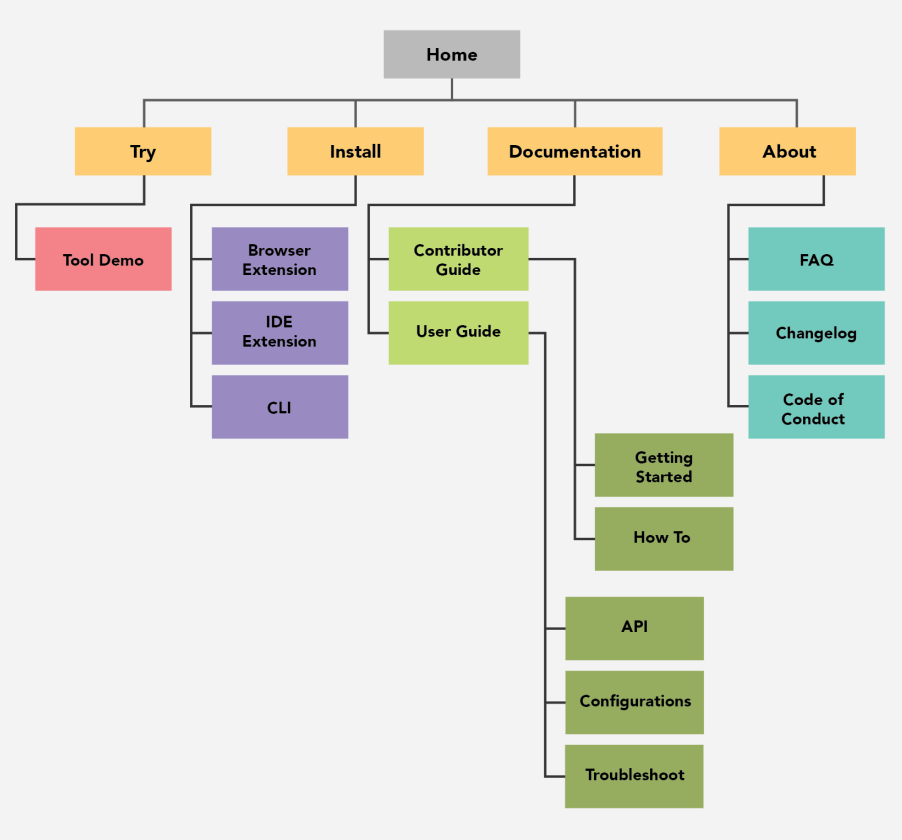
Information architecture is the practice of organising, structuring, and labelling content to make information findable and understandable. Key tools include sitemaps, which map the hierarchy and relationships between pages. Sitemap example:
User Flows
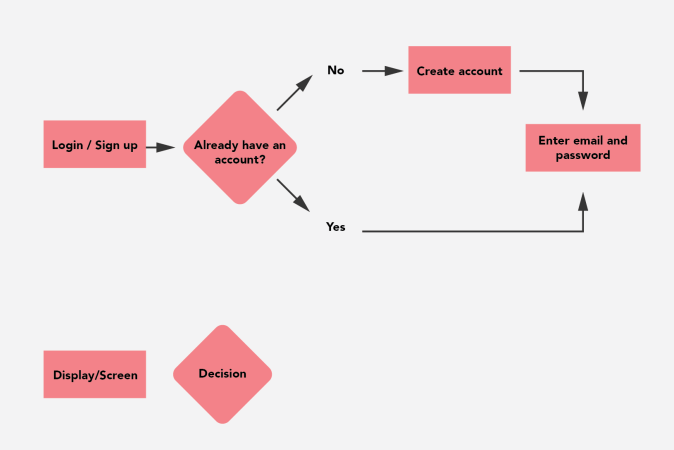
User flows are visual diagrams mapping the specific routes or steps a user takes through an interface to complete a task. User flow diagram example:
Purpose
- Identify all steps in a process
- Spot potential drop-off points
- Optimize task completion
- Communicate design logic
Common Symbols
[Rectangle] = Screen/Page
<Diamond> = Decision point
(Oval) = Start/End
→ = Flow direction
User Journeys
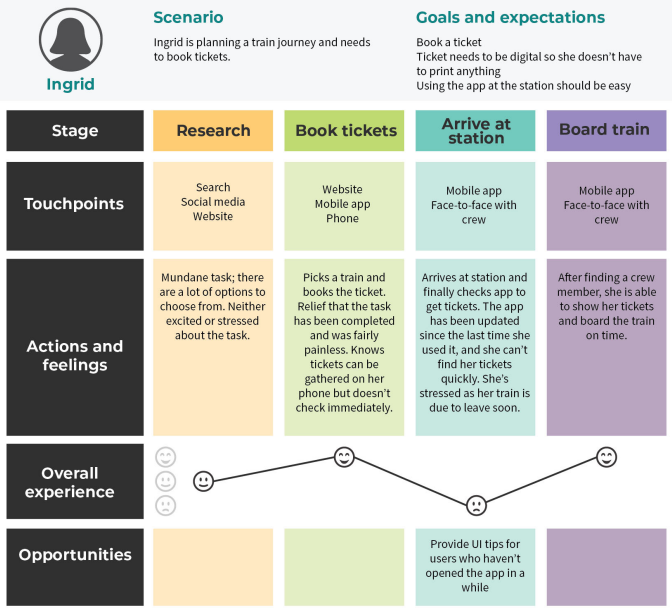
A user journey provides a narrative view of the experience from a persona's perspective. It includes an emotional element, mapping thoughts and feelings to identify "critical moments" where the service can have the greatest impact. User journey map example:
Wireframing
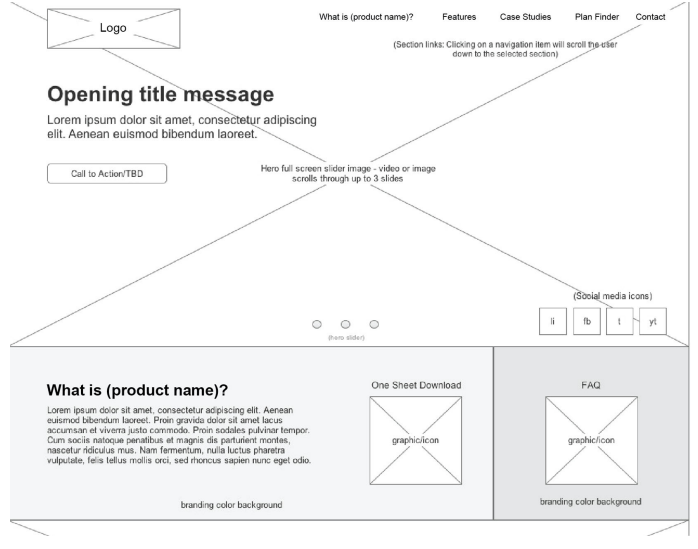
A wireframe is a visual outline of a product that focuses on structure, functionality, and content placement. It acts as a blueprint, allowing stakeholders to approve functional logic before visual styling is applied. Wireframe example:
UI Design and Mock-ups
UI design applies visual principles (color, typography, icons) to create polished, high-fidelity mock-ups that represent the final visual state of the product.
From Wireframe to Mock-up
Wireframe (structure)
    ↓
+ Color palette
+ Typography
+ Imagery
+ Icons
+ Spacing
    ↓
Mock-up (visual design)
Key Considerations
- Brand consistency
- Visual hierarchy
- Accessibility (contrast, text size)
- Component reusability
- Responsive considerations
Prototyping
Prototyping involves building interactive models to test hypotheses and gather feedback.
Low-Fidelity Prototypes
- Sketches or paper models
- Allow for rapid iteration
- Focus on flow and structure
- Quick to discard and restart
Best for: Early concept validation
High-Fidelity Prototypes
- Clickable simulations
- Mimic the final product's behaviour
- More accurate usability testing
- Closer to development handoff
Best for: Final usability testing, stakeholder demos
The Design Process Flow
Research → IA → User Flows → Wireframes → Mock-ups → Prototypes → Testing
    ↑                                                                  |
    └──────────────────── Iterate ─────────────────────────────────────┘
Key Takeaway
UX design is a systematic process that moves from abstract (research) to concrete (prototypes). Each stage builds on the previous one: Information Architecture organizes content, User Flows map interactions, Wireframes structure the interface, Mock-ups add visual design, and Prototypes make it interactive for testing. The process is iterative — feedback at any stage should inform revisions.